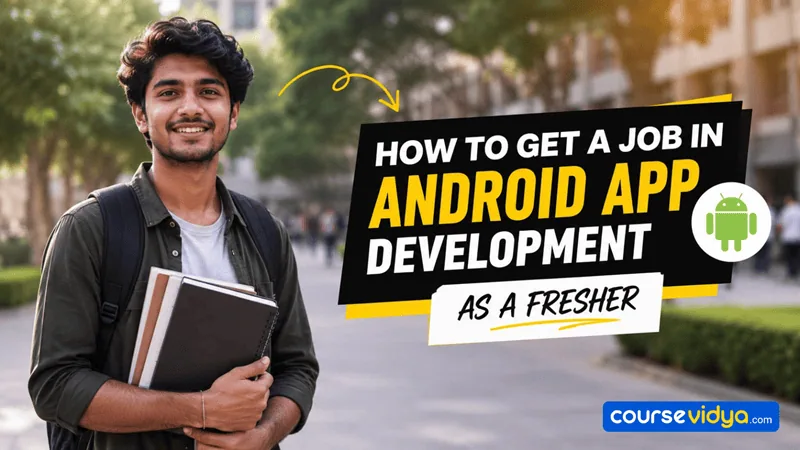
How to become an Android Developer is one of the most common questions asked by students and fresh graduates entering the Indian tech industry.
What you need is a complete Android Developer roadmap to find out what skills to build, what certifications can be beneficial, and how to build a fresher Android Developer resume.
This blog offers a comprehensive guide on how to become an Android developer, covering the impact of AI on the job market, required skills, relevant certifications, targeted job titles, expected salaries, and more.
So, let’s dive in!
Android job market
The popularity of Generative AI tools like Google Gemini, ChatGPT, and specialized AI coding assistants such as Cursor, Claude Code, and GitHub Copilot has changed what companies look for in freshers for Android Developer jobs.
Back in 2021, a fresher Android developer’s role was writing boilerplate code, fixing basic syntax bugs, and translating UI mockups into XML layouts. But today, AI can do those routine tasks in seconds. As a result, fresher Android Developers are now expected to be AI-augmented engineers.
Before the freshers’ job roles were Android Developer Trainee, Junior Android Programmer, or Junior Mobile App Developer. And starting salary for an Android Developer in India used to range from ₹3.0 to ₹10.0 LPA.
In recent years, entry-level job titles for freshers have included Associate Android Engineer, SDE-1 (Mobile/Android), and Mobile Product Engineer. In India, the Android Developer fresher’s salary for these roles ranges from ₹4 to ₹14.0 LPA.
Android Developer career path mapping
One of the best ways to learn how to become an Android Developer is to follow a structured career path. An Android Developer career path helps you set your long-term career goals effectively.
Entry-level/ Experience: 0-2 years
Job roles:
- Associate Android Engineer – ₹4.5–10 LPA
- Junior Mobile Product Developer – ₹5–12 LPA
- SDE-1 (Mobile) – ₹6–14 LPA
Mid-level/ Experience: 3-6 years
Job roles:
- Senior Android Developer – ₹10–25 LPA
- Mobile System Architect – ₹18–35 LPA
- Android Platform Engineer – ₹15–35 LPA
Senior level/ Experience: 7-10 years
Job roles:
- Lead Mobile Engineer – ₹20–45 LPA
- Android Software Architect – ₹25–50 LPA
- Engineering Manager (Mobile) – ₹30–70 LPA
Executive level/ Experience: More than 10 years
Job roles:
- Principal Mobile Architect – ₹40–80 LPA
- Director of Engineering (Mobile/Frontend) – ₹60 LPA–₹1.5 Cr+
- Chief Technology Officer (CTO) / VP of Technology – ₹80 LPA–₹3 Cr+
Degree required for Android Developer jobs for freshers
Major IT service companies and corporate tech giants typically look for the following credentials in candidates for Android Developer jobs for freshers.
- Degrees in B.E. / B.Tech (Computer Science or Information Technology), MCA, or M.Tech.
- A foundational understanding of Object-Oriented Programming (OOPs), Data Structures, and Algorithms (DSA).
However, a tech background is not mandatory. You can build required skills, obtain relevant certifications, and make a strong Android Development portfolio to stand out among thousands of applicants.
Skills required for Android Developer jobs for freshers
If you’re wondering how to become an Android Developer, you first need to build the skills companies are looking for in fresher candidates. To secure Android Developer jobs for freshers, you must have the following skills.
Essential technical skills required
- The Language (Kotlin): You must learn its basics, including null safety, data classes, and Kotlin Coroutines for handling background asynchronous tasks without freezing the app.
- Modern UI Framework (Jetpack Compose): Jetpack Compose is Android’s modern UI toolkit. Many companies now expect freshers to know it. Learning Jetpack Compose can improve your chances of getting entry-level Android Developer jobs.
- Android Jetpack libraries: Learn commonly used libraries such as ViewModel, Navigation, LiveData or StateFlow, and WorkManager. These help you build scalable and maintainable Android apps.
- Networking and API Integration using Retrofit
- Local Databases (Room)
- Architecture Patterns (MVVM)
Professional Engineering tools
- Git and GitHub
- AI Code Augmentation: To get Android Developer jobs for freshers, you must know how to write precise prompts in AI coding assistants like GitHub Copilot or Cursor to generate unit tests, write documentation, and refactor code.
How to learn Android Development: Classroom vs. online courses
The answer to how to become an Android Developer involves building the skills outlined above and creating a strong portfolio. To build real skills, you need the right training in Android Development. You can either pursue classroom Android App Development training or go for online certifications.
In classroom Android Development training, you will receive instructor guidance, a peer network, and placement support. But you won’t have the flexibility of a self-paced course. Additionally, classroom Android training tends to be more expensive.
On the other hand, online Android courses are self-paced and very affordable. But you won’t have a live instructor and placement assistance.
Find the top Android Development institutes near you
Best online Android certification for freshers
Learning how to become an Android Developer includes mastering Android Studio, Git, and modern development practices. If you have already developed the basic Android Development skills, Android certifications are one of the most effective ways for you to learn the modern tech stacks and best practices.
If you are looking for Android Developer jobs for freshers, consider earning one of the following certifications.
Android Certified Application Developer- Android ATC
Cost: Paid
Android Certified Application Developer by Android ATC is one of the best Android Developer certifications available online today.
To get the certification, you need to pass their exam AND-X01. Android ATC offers two main pathways to prepare for the AND-X01 exam. You can buy the official comprehensive course e-book directly from the Android ATC website and learn on your own. Or you can enroll in official in-class or online courses led by certified trainers at any of their authorized learning centers worldwide.
This ATC certification covers core Android components, including Kotlin, Jetpack Compose, application lifecycle, activities, fragments, and architectural foundations. Additionally, you will also learn UI/UX design, data and networking, and code diagnostics.
.NET MAUI Certified Mobile Professional – Xablu
Cost: Paid
If your goal is to know how to become an Android developer, you can definitely go for the .NET MAUI Certified Mobile Professional by Xablu.
This online program focuses on building highly advanced cross-platform mobile apps using Microsoft’s .NET MAUI framework and C#.
The certification covers cross-platform patterns, advanced data binding, and custom native UI elements. You will also learn memory management diagnostics through a hands-on lab while building a production-ready mobile app from scratch.
Android Basics with Compose- Google’s Android Developers Course Portal
Cost: Free
Android Basics with Compose (Google’s Android Developers Course Portal) is a free Android Developer certification for absolute beginners with zero coding knowledge.
This certification covers Kotlin programming and Jetpack Compose UI. You will also learn about data persistence with Room, network server logic with Retrofit, and background processing with WorkManager to build production-ready native apps.
In this certification, freshers complete interactive hands-on coding challenges to earn official Google Developer Skill Badges displayed on their public developer profile to show recruiters. This certification can give you an edge in securing Android Developer jobs for freshers.
Why do fresher Android Developers need projects?
If you aim to secure your first App Development job, knowing how to become an Android Developer is only the beginning; consistent practice is equally important. To practice effectively, you need to build small projects. As AI tools are making basic coding easier, a strong project portfolio helps freshers demonstrate their real development skills to recruiters and secure entry-level Android Developer jobs.
As a fresher, consider building the following Android App Development projects to strengthen your resume.
- The Offline-First Crypto or Finance Tracker: An app that stores financial data offline and syncs updated prices or expenses when an internet connection is available.
- The Native News or Reddit Client: A content aggregator that pulls text and media feeds based on custom user categories and handles dynamic filtering.
- The Live Location / Fitness Tracker: A premium app that communicates directly with device hardware or maps.
How to showcase your Android app development projects?
This is an important part of how to become an Android Developer if you have no prior programming experience. Once you build your projects, you need to upload them so that recruiters can easily find them. Consider the following platforms to upload your projects.
- GitHub: Upload your projects with README.md files.
- Google Play Store: You can publish your apps here.
- LinkedIn: Post a clip of a 1-minute screencast of your application detailing a specific problem you solved.
- Personal portfolio website: You can post a functional video demo of your projects.
Android Developer job titles, internships, freelancing, networking, and referrals
Understanding how to become an Android Developer requires knowing about entry-level Android Developer jobs in India.
The following table highlights the job roles you can target as a fresher and their salaries.
| Target job title | Best suited for | Expected salary range | Responsibility |
|---|---|---|---|
| Associate Android Engineer | Freshers who want clear training and career stability. | ₹3.5 – ₹5.5 LPA | Fixing basic UI bugs and launching minor features. |
| SDE-1 (Mobile / Android) | Freshers with strong coding logic and database knowledge. | ₹5.0 – ₹12.0 LPA | Developing app features, integrating APIs, managing local data, and improving app performance. |
| Mobile Product Engineer | Freshers who love fast UI designs, prototyping, and AI tools. | ₹12.0 – ₹15.0+ LPA | Converting Figma designs to Compose and using AI coding tools. |
Additionally, you can pursue an internship before committing to full-time Android Developer jobs for freshers. Use the platforms below to find an Android Developer internship for freshers.
- Internshala
- Wellfound (formerly AngelList)
Freelancing can be another great way to get experience in Android App Development. To secure entry-level Android Developer jobs in India, having freelancing experience can definitely help you stand out in the interview process. Use the platforms below to find freelance Android Development work.
- Upwork
- Fiverr
- Freelancer.com
Networking and referrals are highly recommended for beginners seeking Android Developer jobs for freshers in India.
| Strategy type | What it Means | Best platform | Rule for freshers |
|---|---|---|---|
| Professional Networking | Building long-term, genuine relationships | LinkedIn Local tech meetups (like GDGs) GitHub discussions | Do not ask for a job right away. Share your learning progress, comment insightfully on senior engineers’ posts, and ask for architectural advice instead. |
| Securing Referrals | Getting an internal employee to recommend your resume directly to their company’s internal HR portal | LinkedIn cold outreach Alumni networks Twitter/X tech communities | Send a working video link of your app, your GitHub repository, and a 3-line pitch explaining why your skills fit an open role. |
Android Developer resume and interview tips
To build an effective Android Developer resume, consider the following tips.
- Maintain a single-column, one-page format with no tables to pass the ATS.
- Dedicate a section to highlight your skills.
- Include links to LinkedIn, GitHub, and Google Play Store app links (published by you).
- List your freelance Android App Development projects.
To prepare for interviews, start by learning common Android interview questions and answers. Do not forget to learn and mention the skills and tools mentioned below on your resume
1. Essential programming language
- Kotlin: This is the official and most preferred language for modern Android development.
- Kotlin basics: You must master variables, loops, object-oriented concepts, data classes, and null safety.
- Kotlin Coroutines: You must learn coroutines to handle background operations such as network calls and database tasks without blocking the main UI thread.
2. Modern UI framework
- Jetpack Compose: Android’s modern toolkit for building interactive user interfaces with pure Kotlin code.
- Layout design: You need to master simple components such as Rows, Columns, Boxes, and Lists, as well as basic modifier properties.
3. Core engineering and architecture tools
- Android Studio: The official, essential Integrated Development Environment (IDE) for writing, building, and testing Android applications.
- MVVM architecture: You should understand MVVM (Model-View-ViewModel) because it is widely used in Android projects for organizing production-grade code.
- Git and GitHub: You must know how to use basic Git commands to track your source code changes and upload your projects to GitHub.
4. Data management and networking
- Retrofit: This is a critical library for connecting your mobile app to internet servers and fetching real-time API data.
- Room database: You must learn this. Room helps store structured local data and supports offline functionality.
5. AI-augmented engineering tools
- Cursor or GitHub Copilot: You must know how to write precise technical prompts in these AI coding assistants.
- AI assistance tasks: You must use these tools to generate automated unit tests, write code documentation, and optimize your logic.
Daily practice talking about your projects and answering Android interview questions to improve your communication skills.
Sample resume for Android Developer jobs for freshers
How to become an Ethical Hacker in India: A complete guide to start career in Ethical Hacking
How to become an Android Developer: A career roadmap
Congratulations!
You completed the entire Android Developer preparation strategy!
Your baseline readiness level is at 100%.
Android Developer roadmap tracker
Phase 1: Master Modern Kotlin Development
Phase 2: Build Modern Android User Interfaces
Phase 3: Learn Data Management and App Infrastructure
Phase 4: Follow Professional Android Development Practices
Phase 5: Improve App Quality and Reliability
Phase 6: Use AI Tools for Better Development
Phase 7: Build Portfolio and Get Android Jobs
Disclaimer
This interactive planning tool is for educational purposes only, and completion does not guarantee final exam, certification, or job success.
How AI is changing the Android Development job market
Artificial Intelligence tools have changed what companies look for in fresher Android Developers. Back in 2021, an entry-level developer’s role was writing standard boilerplate code, fixing basic syntax bugs, and converting layouts into UI screens. Today, generative AI tools like ChatGPT, Google Gemini, and Claude can handle these repetitive coding tasks in a few seconds.
Because of this shift, companies in India no longer hire freshers who know only basic manual coding. Hiring managers now prefer AI-augmented engineers who can use smart tools and AI assistants, and "AI-first" IDEs to build mobile features twice as fast. While traditional entry-level job titles have evolved into roles such as Associate Android Engineer or Mobile Product Engineer, the core expectation remains clear: freshers must know how to build apps alongside AI workflows.
What Freshers Need to Learn and Do
To secure an Android developer job today, you must master specific AI engineering practices. Here is exactly what you need to learn and implement:
- Master AI coding assistants: You must learn to work inside advanced AI environments like Cursor IDE or use GitHub Copilot extensions. Do not blindly copy-paste code; learn to read, verify, and adapt the code generated by these tools.
- Learn precise technical prompting: You must know how to write precise engineering prompts. Practice asking AI tools to auto-generate comprehensive unit tests, write clear code documentation, and identify hidden memory leaks in your application.
- Refactor code with AI: Learn how to use AI tools to clean up complex code blocks and convert old project structures into clean MVVM architecture patterns.
- Build AI-powered portfolio apps: Build modern apps that interact directly with smart services. For example, create an offline-first expense manager app that uses AI to scan physical receipts, parse financial text, and automatically update local Room databases.
Frequently Asked Questions (FAQ)
Q1. Can I become an Android Developer without a computer science degree?
Yes, you can easily become an Android Developer without a tech degree. Most product companies and startups value practical coding skills over college degrees. To prove your capabilities, you must learn Kotlin and build three to four high-quality open-source apps. Upload your complete project code to GitHub and share working video demonstrations on your LinkedIn profile to get noticed by recruiters.
Q2. Should I learn Java or Kotlin to start Android Development as a fresher?
You should definitely choose Kotlin. Google officially announced that Kotlin is now the preferred programming language for native Android development. New frameworks like Jetpack Compose are built entirely in pure Kotlin. Tech companies in India rarely hire freshers for Java-based mobile development roles today. Learning Kotlin will make you eligible for modern, high-paying engineering positions.
Q3. How long does it take to learn Android App Development and get a job?
It typically takes around five to six months of regular practice for an average student to become job-ready. You can spend the first three months mastering Kotlin basics, Jetpack Compose layouts, and local Room databases. Spend the remaining two months connecting online APIs with Retrofit, building your project portfolio, and practicing mock technical interview questions to boost your confidence and get Android developer jobs for freshers.
Conclusion
If you are a fresher or a career changer, your first step is to build skills and earn a certification. Once you do, focus on learning and practice consistently. Build the recommended apps and apply for the Android Developer jobs for freshers.
By following the right roadmap for how to become an Android Developer, you can improve your chances of landing your first Android app development job as a fresher.
To find the top Android App Development training institutes, click on CourseVidya.com. Search by location to get a curated list of training institutes near you and contact them with a single click from CourseVidya.com, India's own course search engine.